ITLP-Campus Dataset
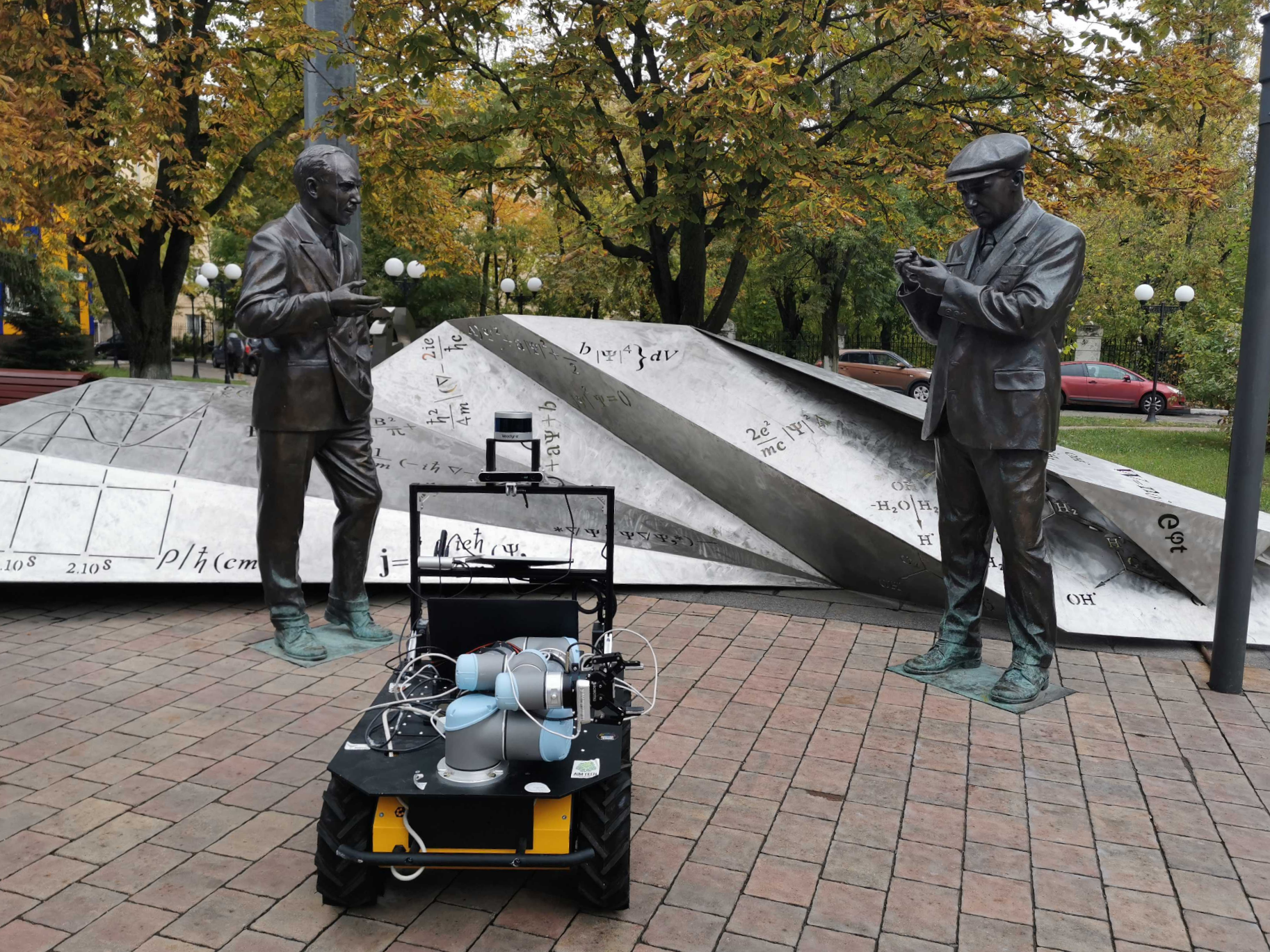
Explore multimodal Place Recognition with ITLP Campus — a diverse dataset of indoor and outdoor university environments featuring synchronized RGB images, LiDAR point clouds, semantic masks, and rich scene descriptions. Built for real-world challenges, day or night, floor or field.
See also the OPR-Project/ITLP-Campus repository.
Download
You can download the dataset:
Kaggle:
Hugging Face:
Alternatively, you can download the dataset from the following links:
Cloud Storage |
link |
|---|---|
Google Drive |
|
Yandex Disk |
Sensors
Sensor |
Model |
Resolution |
|---|---|---|
Front cam |
ZED (stereo) |
1280x720 |
Back cam |
RealSense D435 |
1280x720 |
LiDAR |
VLP-16 |
16x1824 |
Structure
The data are organized by tracks, the length of one track is about 3 km, each track includes about 600 frames. The distance between adjacent frames is ~5 m.
The structure of track data storage is as follows:
Track ##
├── back_cam
│   ├── ####.png
│   └── ####.png
├── front_cam
│   ├── ####.png
│   └── ####.png
├── masks
│   ├── back_cam
│   │   ├── ####.png
│   │   └── ####.png
│   └── front_cam
│       ├── ####.png
│       └── ####.png
├── text_descriptions
│   ├── back_cam_text.csv
│   └── front_cam_text.csv
├── text_labels
│   ├── back_cam_text_labels.csv
│   └── front_cam_text_labels.csv
├── aruco_labels
│   ├── back_cam_aruco_labels.csv
│   └── front_cam_aruco_labels.csv
├── lidar
│   ├── ####.bin
│   └── ####.bin
├── demo.mp4
├── track.csv
├── meta_info.yml
└── track_map.png
where
####- file name, which is the timestamp of the image/scan (virtual timestamp of the moment when the image/scan was taken).bin- files - LiDAR scans in binary format.png- images and semantic masks.csv:<cam>_text.csv- text description of the scene for both front and back camera images (image timestamp, text description of the scene)<cam>_aruco_labels.csv- information about aruco tags (image timestamp, tag bboxes and its ID)<cam>_text_labels.csv- information only about images with text markings (image timestamp, marking bbox , text on the marking)
track.csv- timestamp mapping for all data and 6DoF robot poses.yml- meta information about track
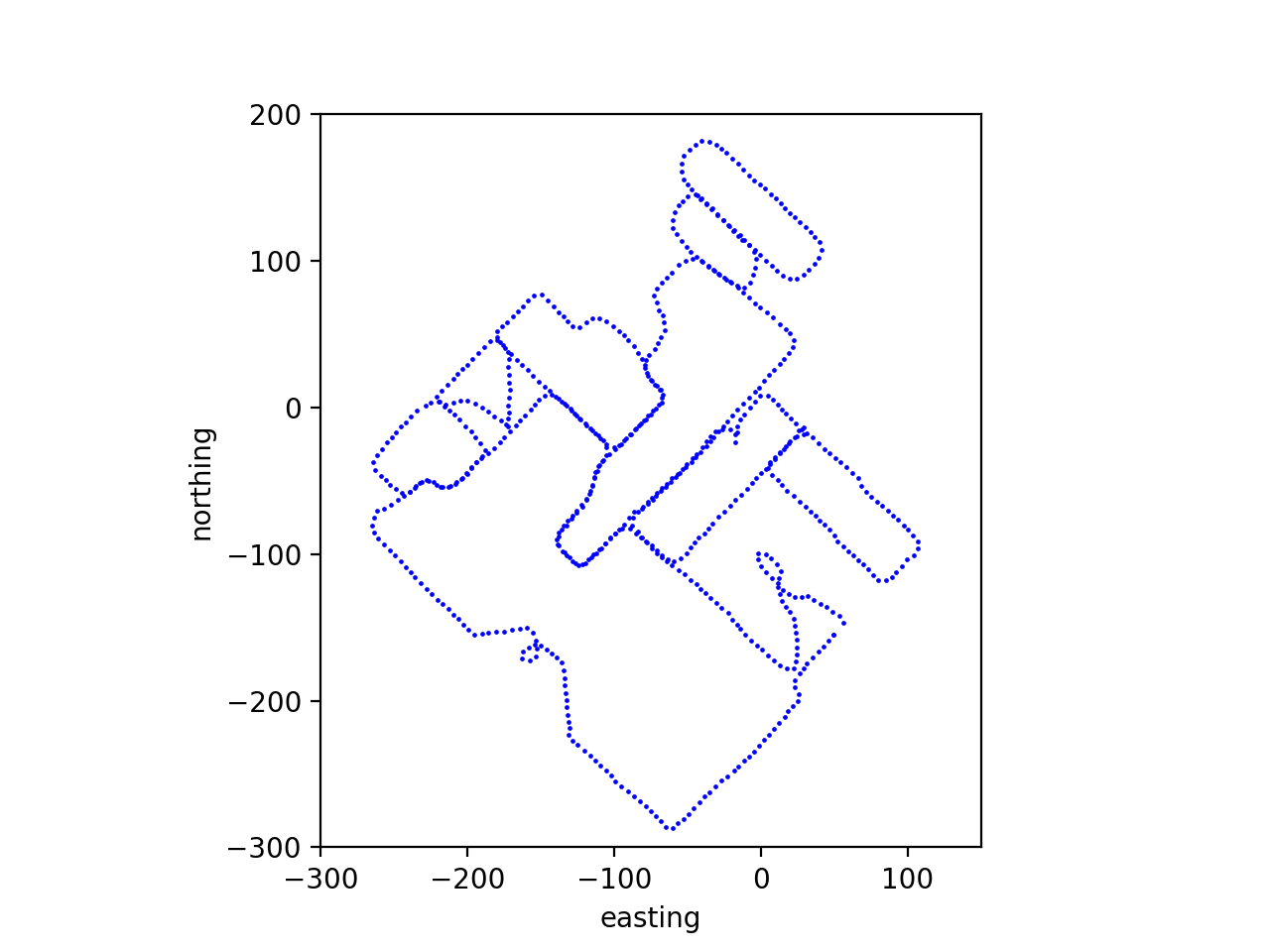
An example of a outdoor track trajectory (track_map.png):
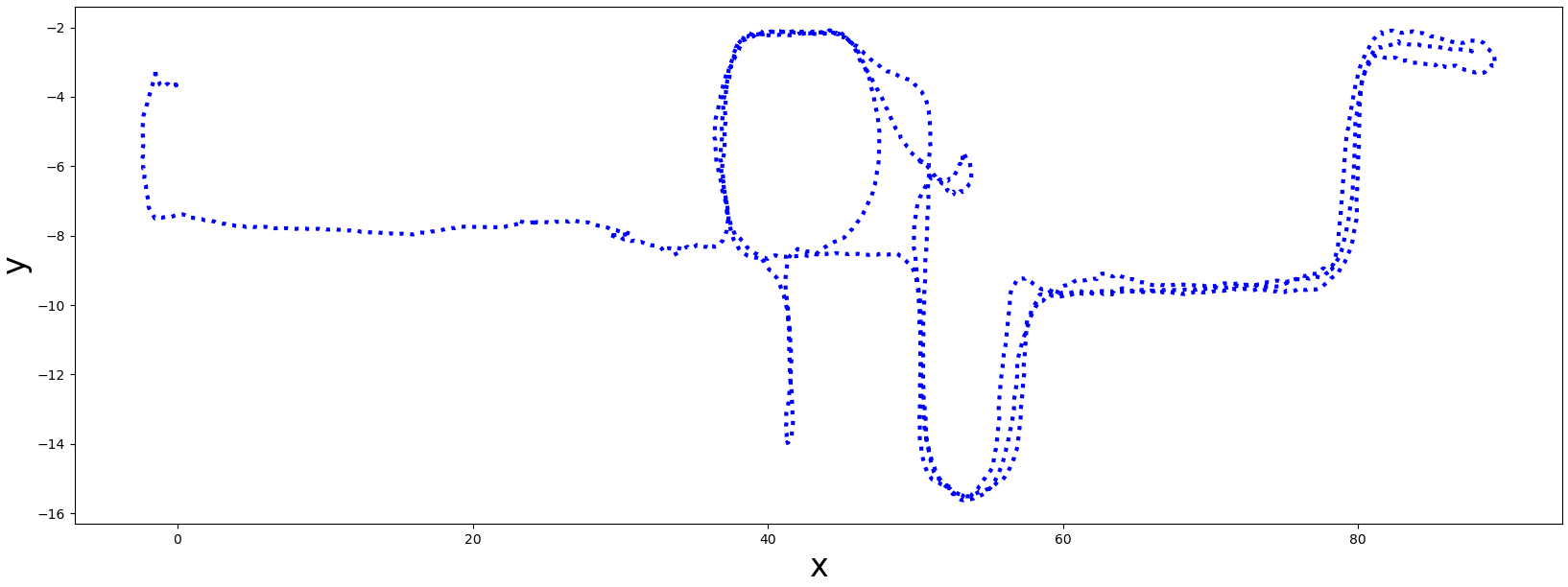
An example of a indoor track trajectory (track_map.png):
ITLP-Campus Indoor
Data
Track |
Frames, pcs |
Front cam, res |
Back cam, res |
LiDAR, rays |
6 DoF pose |
Semantic masks |
Aruco tag |
OCR Text labels |
|---|---|---|---|---|---|---|---|---|
2023-03-13 |
3883 |
1280x720 |
1280x720 |
16 |
✓ |
1280x720x150 |
✓ |
✓ |
00_2023-10-25-night |
1233 |
1280x720 |
1280x720 |
16 |
✓ |
1280x720x150 |
✓ |
✓ |
01_2023-11-09-twilight |
1310 |
1280x720 |
1280x720 |
16 |
✓ |
1280x720x150 |
✓ |
✓ |
6 DoF poses are obtained using Cartographer SLAM with global localization in a pre-built map.
Semantics
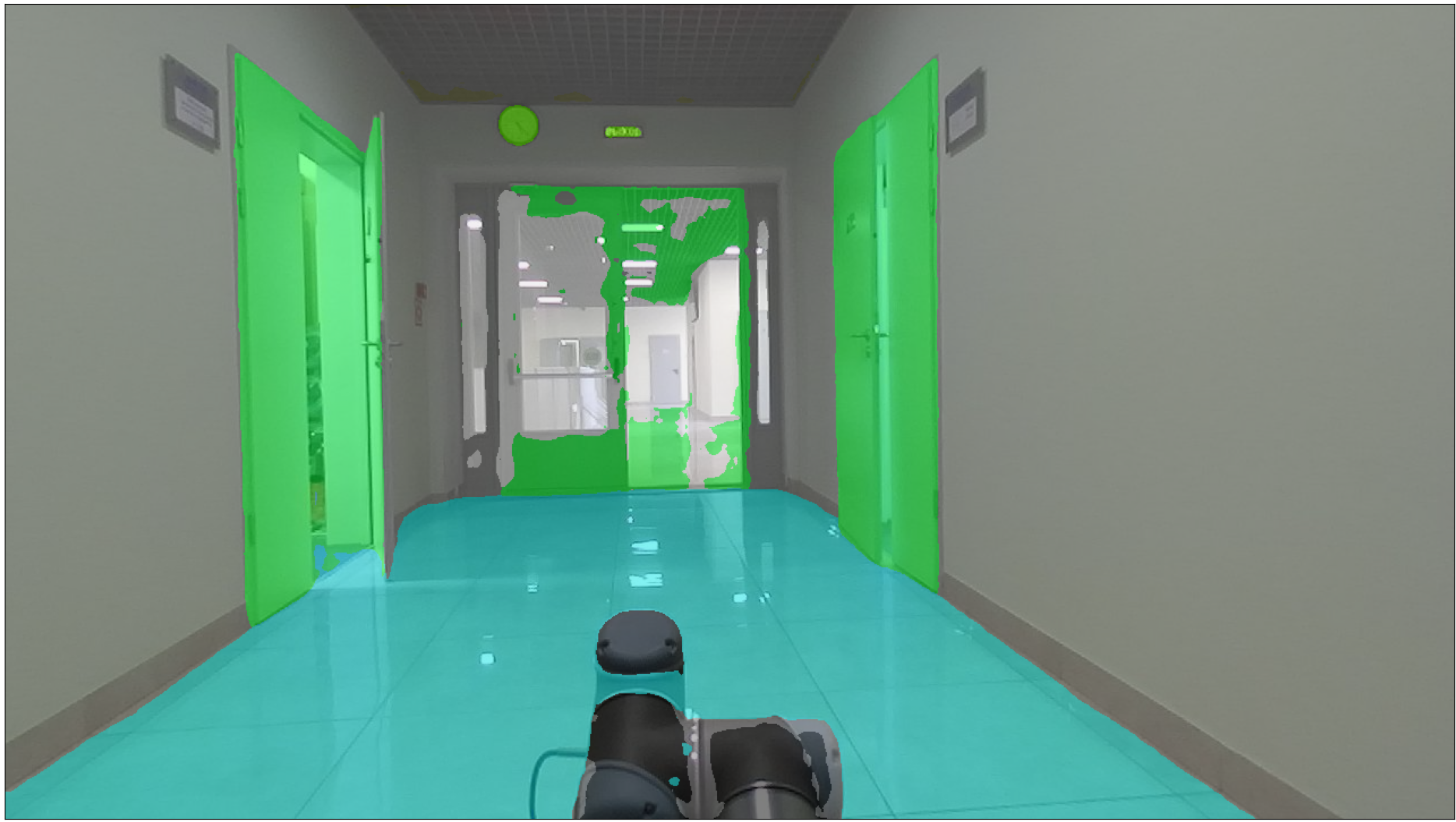
Semantic masks are obtained using the Oneformer pre-trained on the ADE20K dataset.
The masks are stored as mono-channel images. Each pixel stores a semantic label. Examples of semantic information are shown in the table below:
Label |
Semantic class |
Color, [r, g, b] |
|---|---|---|
… |
… |
… |
14 |
door; double door |
[8, 255, 51] |
23 |
sofa; couch; lounge |
[11, 102, 255] |
67 |
book |
[255, 163, 0] |
124 |
microwave; microwave; oven |
[255, 0, 235] |
… |
… |
… |
The semantic markup contains a total of 150 classes. A complete table of all semantic classes is given in the table - cfg/indoor_anno_description.md. To map the ID labels with RGB colors you should use the configuration file - cfg/indoor_anno_config.json.
An example of a mask over the image:
ITLP-Campus Outdoor
The outdoor part of this dataset was recorded on the Husky robotics platform on the university campus and consists of 5 tracks recorded at different times of day (day/dusk/night) and different seasons (winter/spring).
Data
Track |
Season |
Time of day |
Frames, pcs |
Front cam, res |
Back cam, res |
LiDAR, rays |
6 DoF pose |
Semantic masks |
Aruco tag |
OCR Text labels |
|---|---|---|---|---|---|---|---|---|---|---|
00_2023-02-21 |
winter |
day |
620 |
1280x720 |
1280x720 |
16 |
✓ |
front + back 1280x720x65 classes |
✓ |
✓ |
01_2023-03-15 |
winter |
night |
626 |
1280x720 |
1280x720 |
16 |
✓ |
front + back 1280x720x65 classes |
✓ |
✓ |
02_2023-02-10 |
winter |
twilight |
609 |
1280x720 |
1280x720 |
16 |
✓ |
front + back 1280x720x65 classes |
✓ |
✓ |
03_2023-04-11 |
spring |
day |
638 |
1280x720 |
1280x720 |
16 |
✓ |
front + back 1280x720x65 classes |
✓ |
✓ |
04_2023-04-13 |
spring |
night |
631 |
1280x720 |
1280x720 |
16 |
✓ |
front + back 1280x720x65 classes |
✓ |
✓ |
05_2023-08-15 |
summer |
day |
833 |
1280x720 |
1280x720 |
16 |
✓ |
front + back 1280x720x65 classes |
✓ |
✓ |
06_2023-08-18 |
summer |
night |
831 |
1280x720 |
1280x720 |
16 |
✓ |
front + back 1280x720x65 classes |
✓ |
✓ |
07_2023-10-04 |
autumn |
day |
896 |
1280x720 |
1280x720 |
16 |
✓ |
front + back 1280x720x65 classes |
✓ |
✓ |
08_2023-10-11 |
autumn |
night |
895 |
1280x720 |
1280x720 |
16 |
✓ |
front + back 1280x720x65 classes |
✓ |
✓ |
6 DoF poses are obtained using ALeGO-LOAM localization method refined with Interactive SLAM.
Semantics
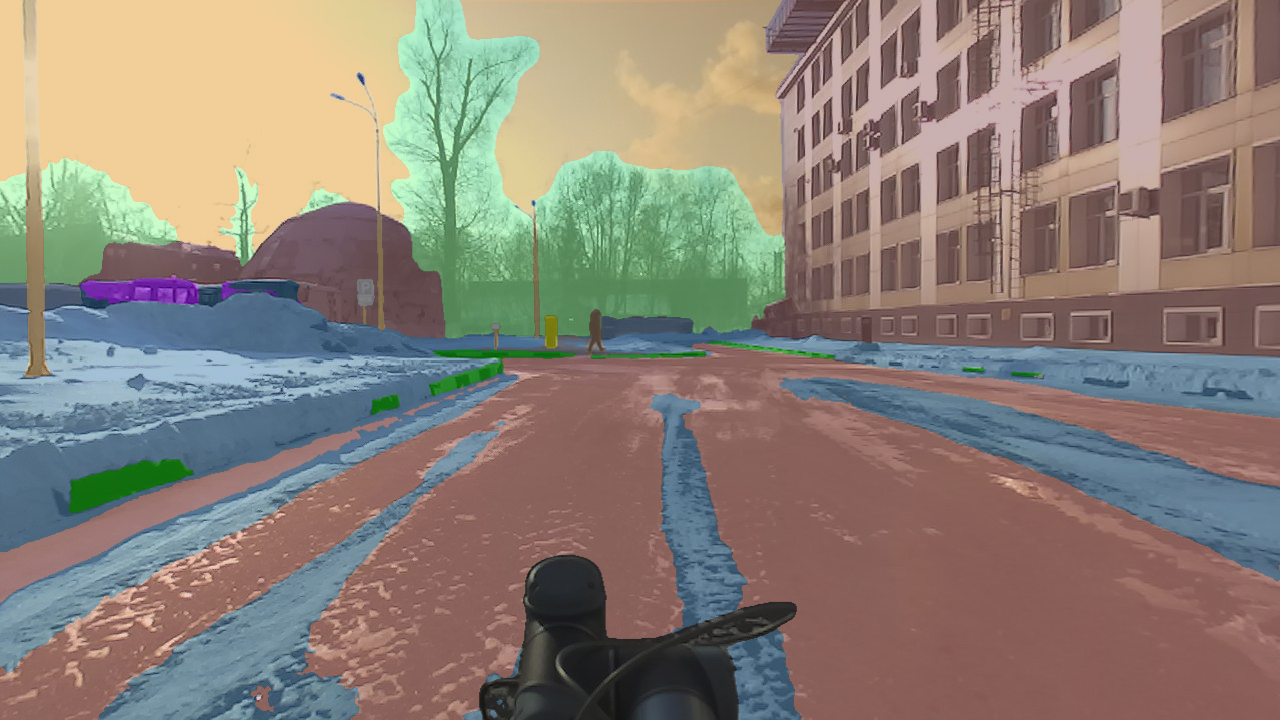
Semantic masks are obtained using the Oneformer pre-trained on the Mapillary dataset.
The masks are stored as mono-channel images. Each pixel stores a semantic label. Examples of semantic information are shown in the table below:
Label |
Semantic class |
Color, [r, g, b] |
|---|---|---|
… |
… |
… |
10 |
Parking |
[250, 170, 160] |
11 |
Pedestrian Area |
[96, 96, 96] |
12 |
Rail Track |
[230, 150, 140] |
13 |
Road |
[128, 64, 128] |
… |
… |
… |
The semantic markup contains a total of 65 classes. A complete table of all semantic classes is given in the table - cfg/outdoor_anno_description.md. To map the ID labels with RGB colors you should use the configuration file - cfg/outdoor_anno_config.json.
An example of a mask over the image:
PyTorch dataset API
Implementation of PyTorch’s dataset class for ITLP-Campus track is provided in the src/opr/datasets/itlp.py file.
That class can be used for loading the track’s data in the format of torch.Tensor.
Outdoor data
Usage example:
track_dir = Path("/path/to/ITLP_Campus_outdoor/00_2023-02-21")

dataset = ITLPCampus(
    dataset_root=track_dir,                      # track directory
    sensors=["front_cam", "back_cam", "lidar"],  # list of sensors for which you want to load data
    load_semantics=True,                         # whether to return semantic masks for cameras
    load_text_descriptions=False,                # whether to return text descriptions for cameras
    load_text_labels=False,                      # whether to return detected text labels for cameras
    load_aruco_labels=False,                     # whether to return detected aruco labels for cameras
    indoor=False,                                # indoor or outdoor track
)

data = dataset[0]  # will return dictionary with the first frame of the track